
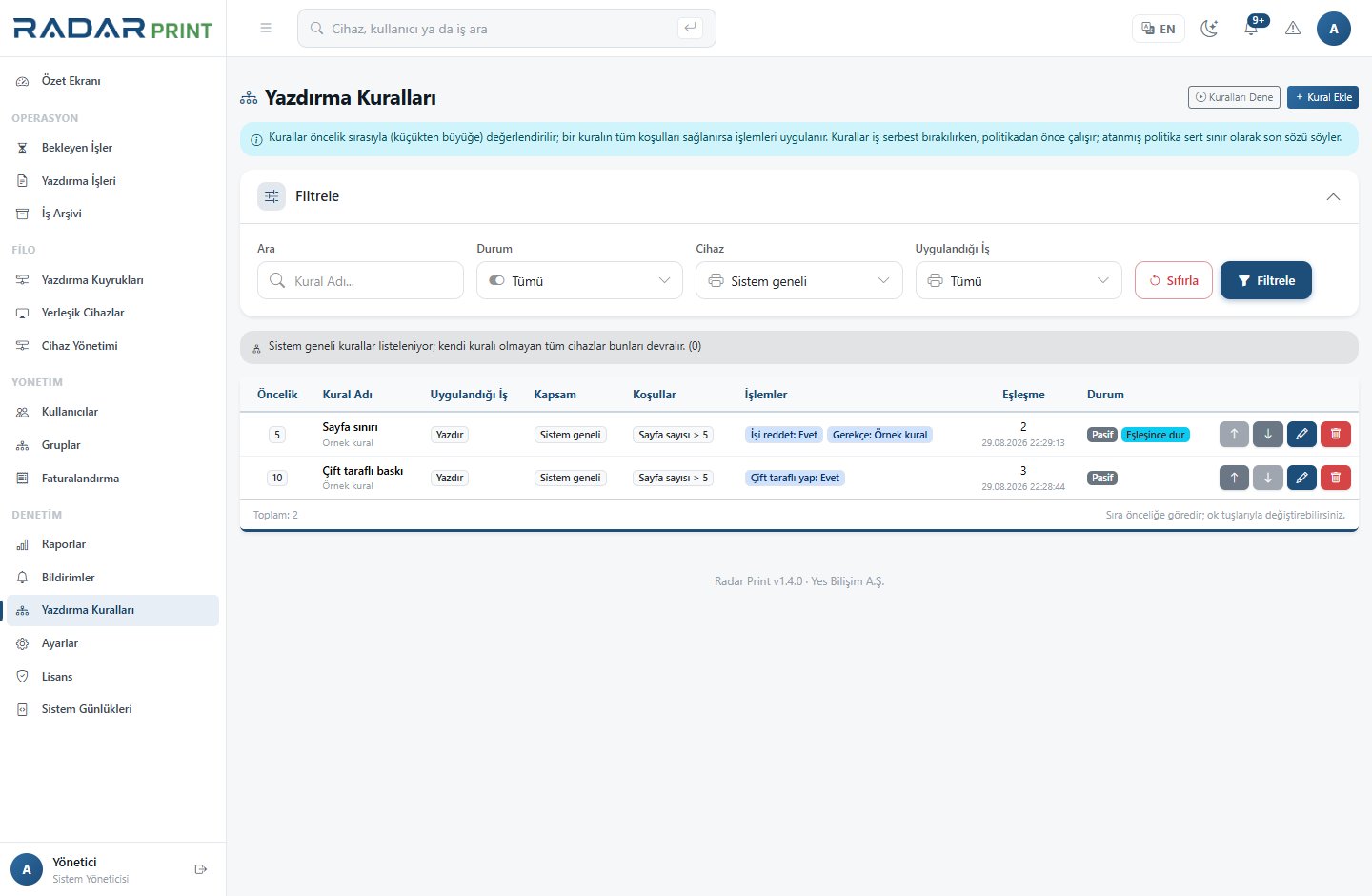
Rule structure
Print rules contain a name, priority, operation scope, conditions and actions. Rules can be evaluated globally or for a particular device. Stop-on-match and dry-run settings influence how multiple rules interact.
Safe preparation
- Write down the intended outcome, such as controlling a specific usage pattern.
- Use conditions and actions supported by the interface; do not invent field names.
- Save the rule with the correct operation and device scope.
- In simulation, provide sample job fields such as pages, copies, color, duplex, cost and department.
- Compare matching and nonmatching cases.
- Check priority ordering and stop-on-match behavior.
Pilot and rollout
Dry run and simulation do not replace a physical device test. Apply the change to a limited group first and observe the results. Verify device support before enforcing an output option through a rule.
Unexpected outcomes
Review operation type, device scope, priority and other active rules together. A rule that is correct in isolation may still be affected by a higher-priority rule.